Posted: January 31st, 2011 | Author: max | Filed under: Features, sharing and collaboration | Tags: features, HTML, sharing | No Comments »
Although you can preview a Tiggr prototype in a browser and share the link, sometimes you might want to get the entire project - all the pages, JavaScript and CSS and run it locally on your machine or send it to someone. All you need to do is export the prototype as HTML bundle and you will get all the pages, JavaScript and CSS.
When in Projects page, select Options/Export as HTML bundle. You will be prompted to save a zip file containing your complete prototype.

Posted: January 26th, 2011 | Author: max | Filed under: Features, New release | Tags: features, release | 7 Comments »
We are happy to release Tiggr version 1.2.5 today. We worked very hard improving Tiggr behind the scenes. We made Tiggr run faster, more stable, load projects faster and fixed a number of UI quicks. Give Tiggr a try and as always, we would love to hear your feedback: http://getsatisfaction.com/exadel. Don’t forget to follow us on Twitter: @gotiggr.com.
New features and improvements in this release:
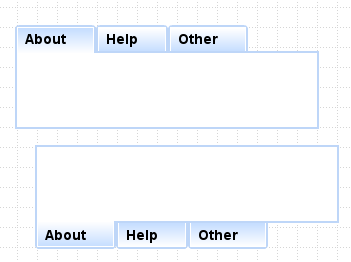
Customize the tab panel with tabs on top or bottom:
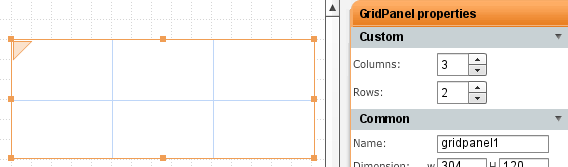
Using table or grid layout? Quickly edit the number of rows/columns in properties:
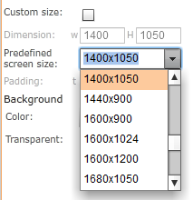
You can set screen size for web or mobile to one of the predefined values or enter it manually (when custom size is checked):
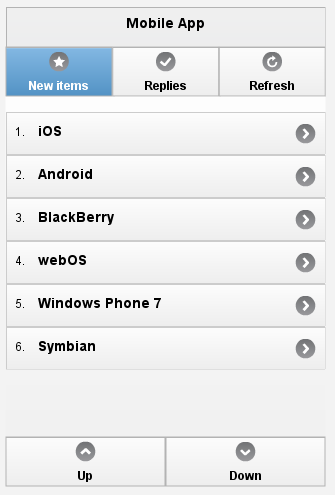
In mobile, navigation bar can now be placed in header or footer of the application as jQuery Mobile requires:
Posted: January 13th, 2011 | Author: max | Filed under: Features | Tags: features, tips | No Comments »
Tiggr makes it very simple to work with multiple screens:
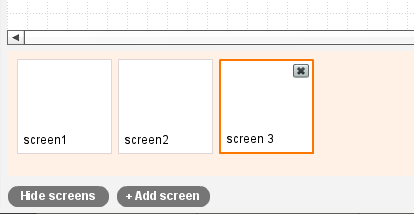
- To add a new screen, click +Add Screen button
- To delete a screen, click X in the upper right corner in the screen. You can also delete by selecting Screen/Delete from the top menu
- To rearrange screen, select a screen and drag it into the new position
- To edit screen name, double click on its label. You can also change screen name in Properties
- Once you are done editing screens, click Hide Screens to hide the panel. This way you will have more room for the prototype
Posted: January 11th, 2011 | Author: max | Filed under: General, Review | Tags: review | No Comments »
JavaLobby Q&A with James Sugrue: Prototyping Your Applications Using Tiggr
Posted: January 6th, 2011 | Author: max | Filed under: Features, Review | Tags: features, review | No Comments »


