Posted: December 19th, 2012 | Author: max | Filed under: API, Database, jQuery Mobile, New release, PhoneGap, Tutorials, Windows Phone | Tags: Database, jQuery Mobile, PhoneGap, release, tutorials, Windows 8 | No Comments »
Windows 8 Support

Tiggzi’s new HTML5 app builder has been the default builder for the past couple of weeks and we continue to update it with new features. One such feature is new Windows 8 support. In addition to jQuery Mobile/PhoneGap apps, you can now build Windows 8 apps with native support such as Snap View, Search Charm, Share Charm, and Live Tile.
To create a new Windows 8 app, click the “More create options” link from the Apps page and then select Windows 8 App as the app type. Try our Windows 8 app tutorial.
jQuery Mobile 1.2
We also upgraded to a much better jQuery Mobile version 1.2.

PhoneGap 2.2
We also upgraded PhoneGap to version 2.2. This means Tiggzi’s cloud build has also been upgraded to PhoneGap 1.2:

If you use Tiggzi Mobile App Tester for Android - go and grab an update so it also uses the latest PhoneGap version.
Push Notifications
A long requested feature - Push Notifications feature has been added to Tiggzi Backend Services.

Want to try it? Try our new Push tutorial.
New Tutorial: Building a ToDo App with Tiggzi Backend Services
Build this app and learn how the app builder is fully integrated with backend services.
Posted: October 23rd, 2012 | Author: max | Filed under: PhoneGap | Tags: PhoneGap | No Comments »
Here is a great post by Andrew Trice on how to get your PhoneGap app approved by Apple. As Tiggzi uses PhoneGap, exactly the same guidelines apply.
Posted: July 24th, 2012 | Author: max | Filed under: Database, Features, jQuery Mobile, New release, PhoneGap | Tags: Database, features, jQuery Mobile, PhoneGap, release | No Comments »
We got some really cool stuff out this week. Check it out.
Better way to test your app
When you open the app builder you should see a new and very nice phone frame:

The old one was more Android-like. The new one is neither Android, iPhone or Windows Phone. Just a nice phone frame.
There is an upgraded test page:

You can use the new tool bar at the top to change the phone orientation as well as change the size:

That’s not all. We also now have an option to test the app without the mobile frame. In the Test pop-up, uncheck Show in mobile frame:

When you open the app, it won’t use the frame:

The frame looks nice in the browser, but technically speaking testing without the frame is better — as you are testing the actual app (just the app code, no frame). Of course when you run the app on your device, the frame is not there as well.
jQuery Mobile Multi-page Template
jQuery Mobile supports multi-page templates where two or more pages are placed inside the same file. You can now turn on this features in Tiggzi app builder (it’s turn off by default). Go to Project > Project Profile:

Queries In Database Console
Tiggzi Database comes with Queries support (docs) and now you can try the queries right from the collection console:

Showing products that cost more than $30 (or any other currency):

PhoneGap Upgrade
We upgraded to PhoneGap version 1.8.1. Every new and existing app will now use this new version of PhoneGap.
Android 4.0.x
We also added build support for Android 4.0.x
As always, we want to get your feedback. You can always email us ([email protected]) or post on our forum.
Posted: June 5th, 2012 | Author: max | Filed under: API, Articles, HTML5, iOS, JavaScript, jQuery Mobile, PhoneGap, Windows Phone | Tags: API, article, HTML5, iOS, JavaScript, jQuery Mobile, PhoneGap | No Comments »
Cloud Services

In the past year or so, we have witnessed a major shift from client-server to client-cloud. This shift is primarily fueled by two factors: mobile devices exceeding desktop computers and the thousands of different APIs available on the Internet today. What started in early 2000 on eBay and Amazon has become a real revolution in 2012 with thousands of companies, from Twitter and Facebook to AT&T, offering cloud-based services.
REST API
One of the most common ways to access private or public service APIs is via REST requests.
In the client-server approach an organization builds applications that consume its own internal content and resources. However, even large IT organizations such as AT&T, Verizon and Amazon have come to realize that they are no match for the social consumer and social enterprise developers out there. By making APIs publicly available, these organizations hope that developers and “citizen developers” will come and build applications and mobile apps on top of their services.
Citizen developers at work
Analysts at Gartner see a trend toward app creation independent of IT. They predict that by 2014, citizen developers – employees outside of IT and software development – will build 25% of new business applications. In 2007, they built less than 5%.
One of the best-known API success stories comes from Amazon: Its cloud service APIs let outsiders access the company’s massive data centers. Twitter, with its deceptively simple 140-character message model, exploded thanks to its API. In fact, you probably read and write tweets via a Twitter application or mobile app rather than going directly to Twitter’s Web site. Facebook’s Graph API has spawned a whole industry of apps to support its hundreds of millions of users.
Continue reading →
Posted: April 19th, 2012 | Author: max | Filed under: HTML5, jQuery Mobile, Mobile Backend, PhoneGap, Tutorials | Tags: API, HTML5, jQuery Mobile, Mobile backend, PhoneGap | No Comments »
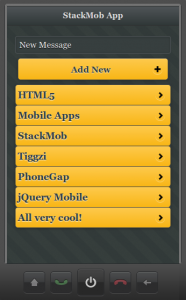
We just published a very nice hands-one tutorial on how to build HTML5/jQuery Mobile app connected to StackMob API. StackMob is super easy to use service for creating a mobile back-end for your app. Everything you create is instantly exposed as REST.
Give it a try!
Posted: February 2nd, 2012 | Author: max | Filed under: Features, PhoneGap | Tags: Android, iOS, PhoneGap | No Comments »
One of the really great features in Tiggzi mobile app builder is that you can quickly export the app as mobile Web, Android or iOS:

For Android, you can get a ready for the app market binary file (Release binary). Just take the file and upload it to Android Market. It’s that simple. You can watch a webinar where an app is built, exported for Android and published.
iOS is little bit more involved (Apple requires to provide your developer information to build). There are two ways to go about it. First, export the app as xCode project and then follow the steps outlined in this guide to build the app.
A second option is to use PhoneGap Build cloud service.
We are working on adding functionality where you will be able to build iOS app inside Tiggzi.
Posted: December 20th, 2011 | Author: max | Filed under: Articles, PhoneGap | Tags: article, PhoneGap | No Comments »
Tiggr – the easiest platform for building mobile apps in the cloud
Tiggr is a cloud-based mobile apps builder. It lets developers build HTML5/JavaScript and native apps very quickly, entirely in the cloud. There is nothing to download, nothing to install, and nothing to configure. Just create a new project, and you are ready to start building your mobile app with HTML5/JavaScript and PhoneGap.
Continue reading Building Mobile Apps in the Cloud with Tiggr and PhoneGap
Posted: December 13th, 2011 | Author: max | Filed under: Features, PhoneGap | Tags: features, PhoneGap | No Comments »
We recently upgraded Tiggr to use PhoneGap 1.2. Any mobile app (native) that you create, PhoneGap is automatically installed. You can export the app as native and also use PhoneGap API in your mobile app.
Updated:
You can always find the version number by going to Project > Project Profile > External resources:
Posted: September 25th, 2011 | Author: max | Filed under: Features, JavaScript, PhoneGap | Tags: features, JavaScript, PhoneGap | No Comments »
If you don’t know what Tiggr is, Tiggr is a Web-based mobile apps builder or a mobile RAD (Rapid Application Development) tool. It enables developers to build mobile Web and native apps very quickly. Tiggr comes with a visual editor and jQuery Mobile components. You simply drag and drop components into the phone area.
This makes it very easy to prototype and build the UI. Once you have developed the UI (which you can share and test in browser or mobile device), you define and connect to REST services. Once the service is defined, it is mapped to the UI. A service usually has inputs and outputs. Mapping means taking input from UI (such as input component) and using it as input for the service. On the other side, taking service output and mapping it back to the UI, for displaying the result. One last step is usually adding an event to invoke the service. For example, on a button click the service can be invoked. What I just described is a very easy and fast way to build mobile Web apps. There is nothing to setup or configure, just launch the Tiggr visual editor and start building.
Now, how do you get a native app? That’s where PhoneGap comes in. PhoneGap is an open source framework, it wraps your mobile Web app and gives you access to native device API. To use native features, PhoneGap provides very clean and elegant API. For example, to sound a notification beep twice, you need to call the following:
navigator.notification.beep(2); |
Simple, right?
To get device information, the following code is used:
alert ('Device Name: '  + device.name     + '\n' +
     'Device PhoneGap: ' + device.phonegap + '\n' +
     'Device Platform: ' + device.platform + '\n' +
     'Device UUID: '     + device.uuid     + '\n' +
'Device Version: ' + device.version + '\n'); |
Any native mobile project in Tiggr comes configured with PhoneGap version 1.0. How do you invoke this API when building a mobile app in Tiggr? It’s very simple. Tiggr comes with Run Custom JavaScript action which can be invoked on any HTML event. Let’s take a button. When a button is clicked (click event), you add an action (Run Custom JavaScript) to invoke. That’s it. Inside the Run Custom JavaScript, you can run any custom JavaScript.
You start with a button, we will use the Vibrate button:
Add click HTML event to the button:
Add Run Custom JavaScript action:
and finally add PhoneGap JavaScript call:
navigator.notification.vibrate(1000); |
Another option is to create a JavaScript file (Project > JavaScript), write all the custom code there in functions and then invoke any function via Run Custom JavaScript action.
JavaScript file:
Invoking a function from the custom JavaScript file:
Once you use native API, testing in Web browser is no longer possible. To make it super easy to test your native app, you can use Tiggr Mobile Tester. It’s a native app (Android, iOS) which lists all your mobile projects created in Tiggr. You simply tap any app and launch the native app. The app looks like this:

Like what you see? Try Tiggr Mobile Apps Builder yourself!
Thanks to Paul Beusterien for the example idea.
