Posted: October 22nd, 2012 | Author: max | Filed under: Mobile Backend, Tutorials | Tags: Database, tutorials | 1 Comment »
Last week we put posted Building a Mobile Search App with Tiggzi Database tutorial that shows you how to search a database for a particular search term. The way the search worked, is that the entire word has to be matched. For example, you could enter ‘Apple’ but not ‘Ap’ to search. In this post we are going to show you how to use a regular expression to get all objects that start with a particular letter. As for our data, are going to use US States.
Building the UI
To start, the UI that we need looks like this:
- For input we use a search component
- Below the input we have a grid, with one column and a label inside.

That’s all we need for the UI. Let’s now create the database.
Creating a database
- Create a new database by going to http://io.tiggzi.com.
- Go to Collections tab and click Import button.
- Upload States CSV file to the database. Once the collection is created, it should look like this:

That’s it for the database. Let’s now add a REST service to search this collection.
Adding a REST service
- In Tiggzi app builder, select Project > Create New > Database Services
- Select your database
- Expand States collection and check Query service.
- Click import Selected services button. A query search for States collection will be created.
- Let’s test the service. As we want to make the search a little bit more flexible, we are going to use a regular expression. For where param, enter the following:
{"States":{"$regex":"^C", "$options":"i"}}
The above will return all states that start with letter C or c. “$options”:”i” is what specifies the query to ignore the case.
We are done with the service. Let’s move on to mapping.
Mapping the service to the page
The input mapping looks like this:

This is JavaScript mapping:
return '{"States":{"$regex":"^'+value+'", "$options":"i"}}';
This is output mapping:

Invoking the service
The last thing we need to do is to invoke the service. Select the input search field, then Events > Add Event > Search. Add Action > Invoke Service, select the service instance.
Testing the app
To test the app, enter any letter, for example ‘n’ and click the magnifying glass inside the search input:

Posted: October 15th, 2012 | Author: max | Filed under: Mobile Backend, Tutorials | Tags: Database, tutorials | 2 Comments »
This tutorial will show you how to build an app that searches data stored in Tiggzi database.
Let’s start with building the mobile UI.
Building mobile UI
Using Tiggzi app builder, create a page named Phones and build the following UI:

- Maker name is a placeholder
- Below the button ,there is a grid with two columns and a label inside each column.
Creating a database
- Create a new database by going to http://io.tiggzi.com.
- Go to Collections tab and click Import button.
- Upload Phones CSV file to the database. Once the collection is created, it should look like this:

Creating REST services to access the database
- In Tiggzi app builder, select Project > Create New > Database Services
- Select your database
- Expand Phones collection and check Query service.
- Click import Selected services button. Two services will be generated under Services folder. One is a settings service that holds the database id and the other one is the query service.
Open the service and then open Request Parameter panel. It should look like this:

Click Test. As we didn’t specify anything for where parameter, you should get all the phones in the collection.
Let’s now test the where parameter. Enter the value of {“Maker”:”Samsung”}, then click Test. You should now get only records where the maker is Apple.
Note that we don’t need to create the response parameters as the response was automatically created when we imported the services.
Adding the service to the page
- Select the query service and drag and drop it over the phone frame. A box will appear on the left-hand side indicating a service instance was added to this page.
- Rename the service instance to: query_phones
Mapping the service to the page
- Open Data Mapping tab
- Map the input component to where parameter:

- Click Add and enter the following code:
return '{"Maker":"'+value+'"}';
this means any value entered from the page will be used to search the database.
- Click on Response Mapping and create the following mappings:

- Go back to Design view.
- The last thing we need to do is to invoke the service. Select the button, then Events > Add Event > Click. Add Action > Invoke Service, select the service instance.
Testing the app
Run the app in the browser and enter either Samsung or Apple as value. For example entering Samsung will produce the following:
Displaying a message when no records are found
- Add a new label component just above the grid

- Rename the component to no_records and uncheck Visible.
- Select the button, go to Events. Add a Run Custom JavaScript action with the following code:
Tiggzi("no_records").hide();
That’s to hide the label on every new search.
- Now select the service instance on the page, then Events > Add Event > Complete. Add Run Custom JavaScript action with this code:
if (jqXHR.responseText == "[]"){
   Tiggzi("no_records").text("Nothing found");
   Tiggzi("no_records").show();
}
If nothing is returned, show the message.
- Test the app, if you enter anything other than Apple or Samsung, you should get the following:

Posted: August 21st, 2012 | Author: max | Filed under: API, Database, Features, Mobile Backend, New release | Tags: API, Database, features, release | 6 Comments »
We just released some really awesome features in Tiggz!
App Builder Database Integration
In early July we launched Tiggzi Database where you can store app data. Now we have launched database integration in our app builder. This means you can point to a specific database, select the collection(s) you want to use and automatically generate all the REST services. To create a services from database, select Create New > Database Services:
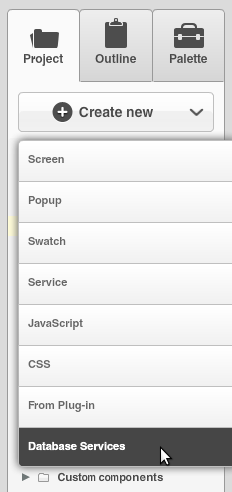
Next select the database:
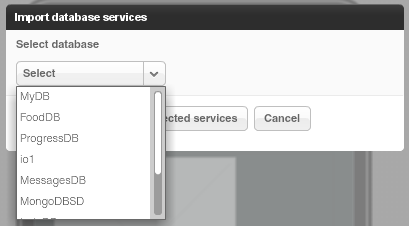
Once the database is selected, you can select the services for which you want to generate REST services.
The first section creates REST services for User management.
The second section lists all the collections you have in current database. You can then select which actions (Create, Delete, etc) you would like to create for a particular collection:
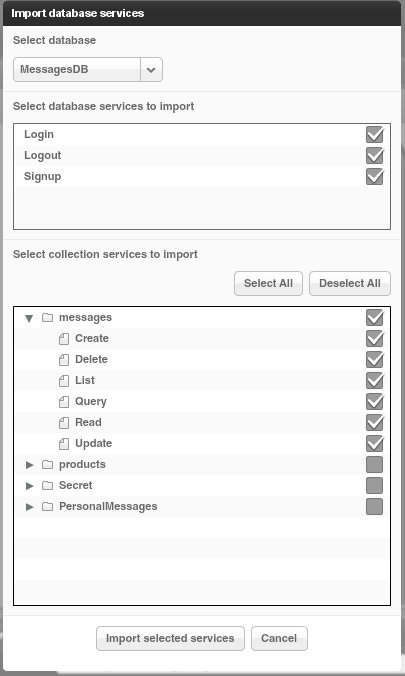
When you click Import selected services button, the following REST services will be generated:
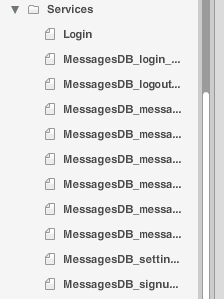
For example opening the service for creating a new message looks like this:
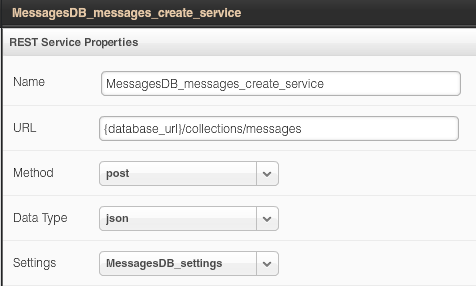
The request and response parameters are also generated. Here is a screen shot of request parameters to create a new messsage:
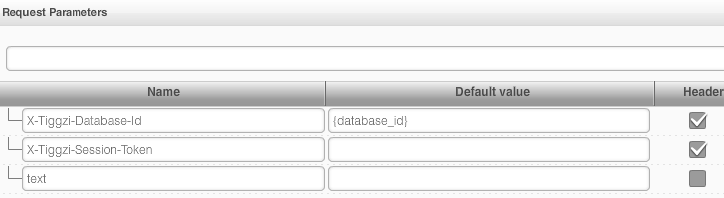
Isn’t this awesome?
File API
We continue to add new features to Tiggzi Backend Services by adding File API. You can now easily store files in the database. When you open any database, you will see a new Files tab:
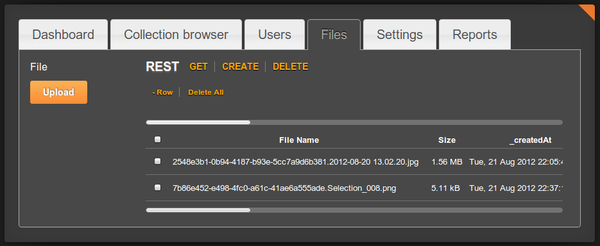
Read more about the File API.
Project Export/Import
Our users have been asking for this feature for a long time and it’s now available. You can export and then import a project. To export a project, go to app options page (Export Backup):
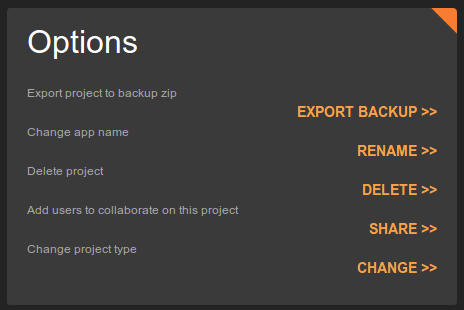
To import an app from backup, click From Backup when creating a new app (you get to this screen by clicking More Options link, see next section):
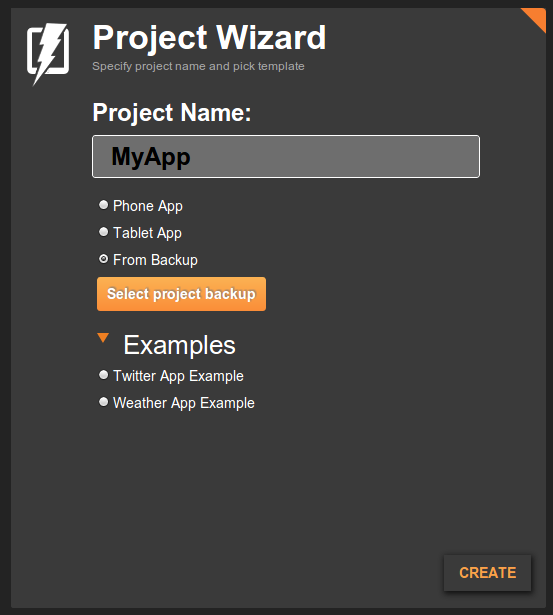
Even easier way to create a new app
Last, but not least, it is now even easier to create a new app. Right from Apps page, enter a new app name and click Create. That’s it.

Posted: July 18th, 2012 | Author: max | Filed under: API, Database, Mobile Backend, Plugin | Tags: API, Database, Mobile backend, Plugin | No Comments »
Last weekend we participated in the AT&T Mobile Hacktathon hosted by StackMob. Just before the event we published StackMob API plug-in in Tiggzi app builder so that it would be very simple to connect to StackMob. Here is how easy it is to connect to StackMob.
In Tiggzi app builder, select Create New > From Plug-in, then select the StackMob plug-in:

When you click to import the plug-in, you will be asked to enter StackMob key that identifies your app:

If you won’t enter the key right away, you can always set it by going to Services/StackMobDatabseSettings file.
The StackMob service looks like this:

You will notice that the URL has [objectName] in it. Simple set it to the object schema name defined in StackMob. My object is called messages so the updated URL would be this:
https://api.mob1.stackmob.com/messages
The service does a GET by default but you can set it to do any other action.
We can now instantly test the service. Open Request Parameters panel and click Test Connection:

We get result back which means our service works (you should create a few sample objects in StackMob before testing). The service input is defined, we now need to define the service output. That can be done automatically by clicking Populate Response Structure button.

Once the service is ready, add it to the page, and bind the service to the UI:

and finally run the app:

Posted: July 16th, 2012 | Author: max | Filed under: API, Database, Mobile Backend | Tags: API, Database, Mobile backend | No Comments »
In case you missed we just launched Tiggzi Database - a cloud database for your mobile app. It’s the first feature as part of our mobile backend services. We are working on really cool stuff such as Push and more!
Database API Plug-in
Creating a new service based on Tiggzi Database is very simple as each collection comes with a nice REST API hints:
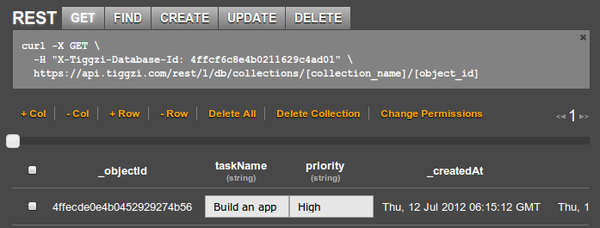
But there is even easier way to add a service by using Tiggzi Database API plug-in. From Project tab, click Create New > From Plug-in and select Tiggzi Database API plug-in:
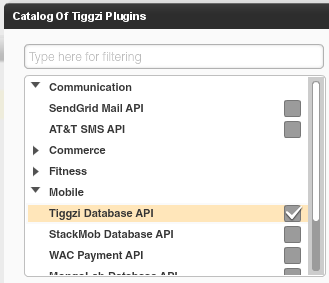
When you import the plug-in, you will be asked to enter the Tiggzi Database Id you can get from the REST API hint section (or from Dashboard tab). If you don’t set it during import, you can always set in Services/TiggziDatabaseSettings file.
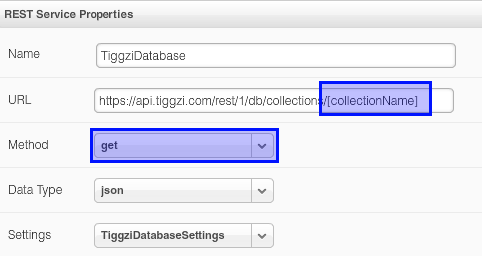
As you can see the URL is already set. Just set the collection and you will be ready to go. The service defaults to GET but you can change it to any method as shown. You can switch to Request Parameters, enter any request parameters and click Test. From Test, you can automatically define the service’s response structure.
The database key is also set in Request Parameters panel:
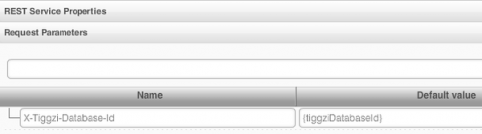
The {tiggziDatabaseId} is resolved from Services/TiggziDatabaseSettings file.
We got some really awesome integration planned very soon. Right from Tiggzi app builder you will be able to browser and create new collections.
Documentation
Looking for docs? View Tiggzi Database docs. We are also working on some really nice tutorials. If you have any questions, you can always email us or post on our forum.
Posted: May 29th, 2012 | Author: max | Filed under: API, HTML5, jQuery Mobile, Mobile Backend | Tags: API, HTML5, jQuery Mobile, Mobile backend | No Comments »
Kinvey is one of those services that makes building mobile backend way too simple. If you combine Kinvey with a cloud-based app builder Tiggzi, you get everything you need to build an awesome mobile app using cloud services. Let me show you what I mean.
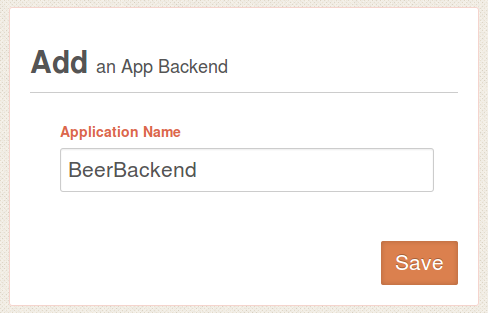
To start, sign up for Kinvey, it’s free and then create your first app backend. We re going to create a backend for beers(!).
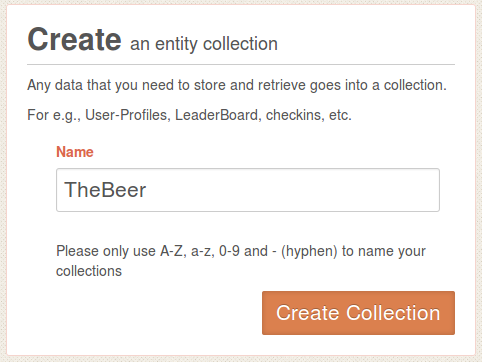
Next, create a new collection where we are going to store names of beer we like:
Open the collection. When you open it for the first time it will be empty so we need to define at least one column and enter some data. Click on +Col, and add Name column. Then add a few sample entries by clicking +Row. You can simply double click in Name column to enter values (you don’t need to enter anything for _id or _acl).
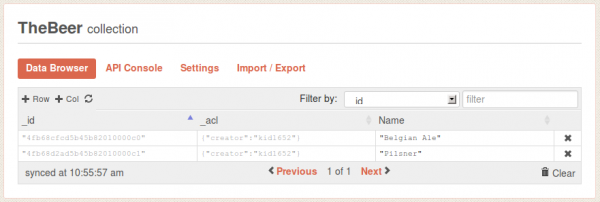
That’s pretty much all you need to do. Simple, right?
Let’s now go to Tiggzi app builder and create a jQuery Mobile app.
Read More >>
Posted: April 19th, 2012 | Author: max | Filed under: HTML5, jQuery Mobile, Mobile Backend, PhoneGap, Tutorials | Tags: API, HTML5, jQuery Mobile, Mobile backend, PhoneGap | No Comments »
We just published a very nice hands-one tutorial on how to build HTML5/jQuery Mobile app connected to StackMob API. StackMob is super easy to use service for creating a mobile back-end for your app. Everything you create is instantly exposed as REST.
Give it a try!
Posted: January 31st, 2012 | Author: max | Filed under: Mobile Backend, Tutorials | Tags: Mobile backend, Parse, tutorials | No Comments »

We just published a new tutorial on how to build a mobile app in Tiggzi connected to mobile backend hosted by Parse. Parse makes it super easy to create a mobile backend and expose it via REST. In Tiggzi app builder, consuming any REST service is as easy.
Give it a try here.
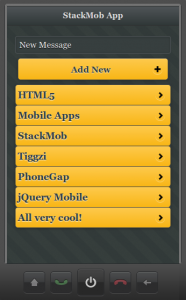
The final app is shown on the left. The app shows a list of text messages, you can add and delete text messages.
Posted: January 9th, 2012 | Author: max | Filed under: Mobile Backend | Tags: Mobile backend | 13 Comments »
Here is a short list of mobile backend services we have used/tried when building mobile apps in Tiggr:

