As we continue to add new features to Tiggr Mobile Apps Builder, we have also launched a new help site: http://help.gotiggr.com. It has documentation, getting started guides, how-to’s, release notes and road map. It’s work in progress. If we are missing something, do let us know via email [email protected] or http://getsatisfaction.com/gotiggr.
Earlier this week we released Tiggr version 2.3.2. Most of the updates are for Mobile Apps Builder. There is a new services editor, new jQuery Mobile theme editor and we launched a new help site.
New services editor with test feature
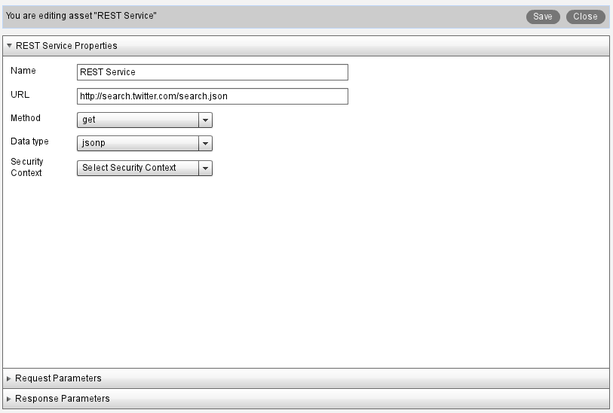
New services editor is now easier to use, it clearly separates service setting (such as name, URL ) and service request parameters and response parameters into separate panels.
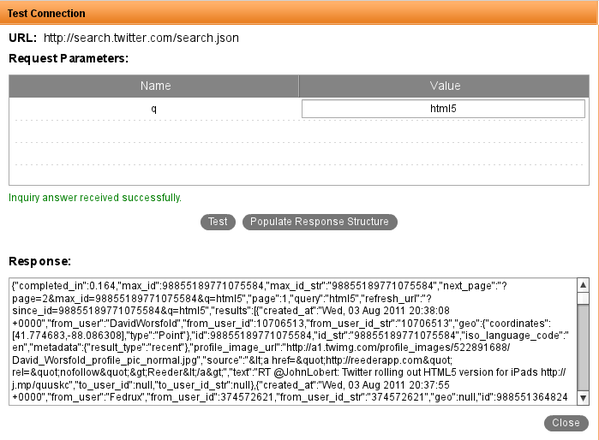
What’s really cool is that you can now test the service right from Tiggr. When entering the request parameters, there is a Test button. This allows you to check that the service works and what soft of output (JSON) is returned.
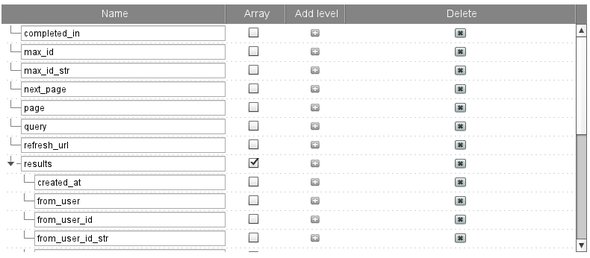
But, there is another very cool feature. Every service returns data and you need to define response parameters (which later can be mapped to components). Some services return many parameters and manually creating each parameter can be tedious. When you test the service there is Populate Response Button. When the button is clicked, all the output parameters from the service will be automatically created. Here is how it looks using Twitter’s search URL (http://search.twitter.com/search.json?q=html5):
Lastly, you can also paste the response from a service to auto create response parameters. This works sort of like an “echo” test. This is useful if you are not able to invoke the service but do know its response format. In Response Parameters panel, click Populate from Sample Response. Then, paste the response.
New jQuery Mobile theme editor
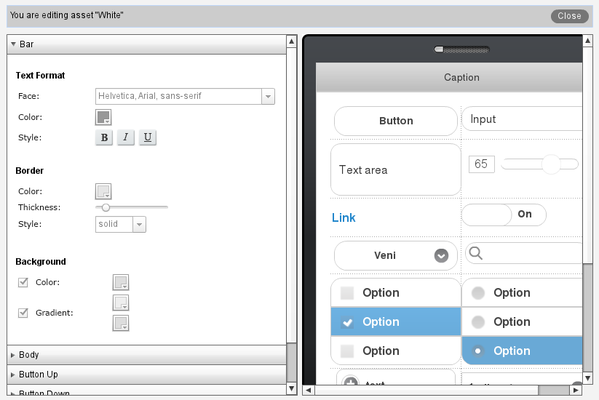
Mobile Apps Builder comes with 6 jQuery Mobile themes out-of-the-box. Now you can also create custom themes. To create one, in Project view, click Add > Theme. You will see the theme editor:
As you modify the theme (on the left), the phone on the right will instantly be updated with the changes.
New help site
We launched a new help and developers site: http://help.gotiggr.com. It’s still work in progress but do let us know if there is content you want us to add.
If you worked with JSON, then you are aware of the cross-domain policy which prevents a script loaded from one domain, to invoke services from another domain. This means that the domain of the requested URL must be the same as the domain of the current page. A number of work around exists but one of the most popular once is using JSONP. JSONP allows a requesting URL from one domain to invoke a service from a different domain. Tiggr Mobile Apps Builder now supports JSONP. Why is this important? Well, it makes very simple to build and test mobile apps in Tiggr. Now a page can be loaded from abc.com domain and invoke a service from xyz.com. Most REST services today support JSONP.
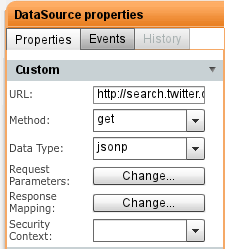
To use JSONP is very simple. When defining REST service, select jsonp for Data Type:
JSONP support
Twitter Search App
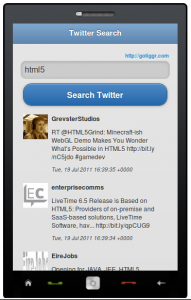
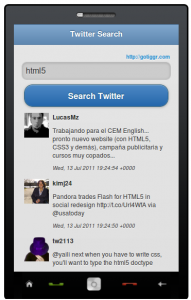
To try this in action, try this Twitter Search app built in Tiggr.
After a short private beta we are happy to announced that Tiggr Mobile Apps Builder is now open to everyone. Now, the app is still beta and we have tons of features we are planning to add. So, just go to http://gotiggr.com and click on Sign Up Now for Mobile Apps Builder. Then try one of our getting started guides but first read this (we are adding more tutorials). It’s a 6-step guide on how to approach building mobile apps in Tiggr.
Need a particular feature, service or component? Tell us here: http://getsatisfaction.com/gotiggr.
Today, we’ll be having a briefing for our beta users of Tiggr Mobile Apps Builder. Becoming a beta user and participating in our community briefings is a great way to influence and guide the development of a useful product and make it even more useful.
It’s easy to become a beta user. Here are three ways:
If you don’t already have a Tiggr account, you can sign up right from the home page using the button in this block:
When you sign up for any Tiggr Prototypes Builder plan and click on the activation link, you’ll be presented this first time with a pop-up giving you an opportunity to join the beta:
If you already have an existing Tiggr account, you can become a beta user by going to My Account and clicking on the sign-up button:
You’ll have a “pending” status at first, but you should only have to wait a few hours before you become activated.
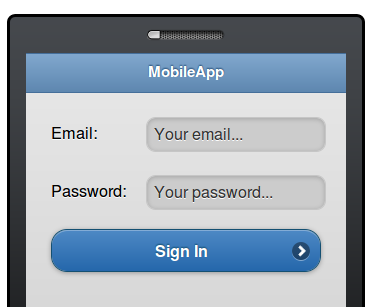
HTML5 introduces a handy new feature for input elements. Using placeholder attribute, you can place a slightly greyed out label inside an input field. When you click on the field and enter text, the label clears. If you delete the input, the placeholder labels appears again. Here is an example (assuming you are using HTML5 complaint browser):
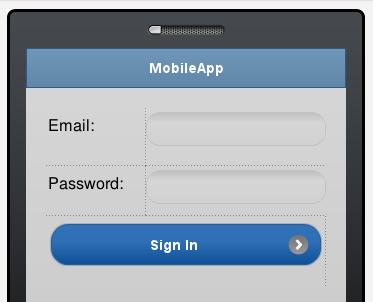
You can do the same thing in Tiggr Prototype Builder or Mobile Apps Builder. Now, it involves a little trick but we will make it much simpler in the near future. Let’s say we start with a screen like this (editor view):
Click the screen outside the phone area, switch to Events view
Click Add Event and select Load
Click the + sign to add an action and select Set HTML Attribute
Component name: find the first input component. Its name should be set to something like ‘mobileinputtextX’ (unless you renamted it)
Property name: placeholder
Value: enter any text you want to see in inside the input
Click OK
Repeat the same for the second input component.
Click Web Preview to view the app in Web browser
To view on your phone, select Web Preview > Configure and select Anybody can view this project on the Web. The open the URL shown on your phone.
Try out this app or via QR code below:
Yes, it’s too many steps to add such functionality. It’s really just a workaround for now. We will make it possible to set any attributes from Properties view, without needing to add event and action.
Last week we launched Tiggr Mobile Apps Builder beta program (you can sign up from at http://gotiggr.com). There are two Getting Started Guides available: Twitter Search and Weather Search and now you can also watch these cool videos!